and runs during HTML parse, but hubspotutk is set by js.hs-analytics.net, measured loading at ~834ms. On a first visit the cookie does not exist yet, so a single read returns nothing and the visitor gets no external ID at all — and a first visit is exactly what an ad click is. So poll briefly until HubSpot sets it. The SDK loads lazily (~4.5s) and replays a queue, so an init queued a second or two in still lands before any events are transmitted. */ (function attachExternalId() { var attempts = 0; var MAX_ATTEMPTS = 40; /* 40 x 200ms = 8s, then give up quietly */ var timer = null; function tryAttach() { var raw = getExternalId(); if (!raw) { if (++attempts >= MAX_ATTEMPTS && timer) clearInterval(timer); return; } if (timer) clearInterval(timer); sha256Hex(raw).then(function (hash) { oaiq("init", { user: { external_id_sha256: hash } }); }).catch(function () {}); } tryAttach(); /* returning visitor: immediate */ if (!getExternalId()) timer = setInterval(tryAttach, 200); })(); /* --------------------------------------------------------------------------- 2. Load the SDK off the critical path Whichever comes first: the main thread going idle after load, or the first sign of real user intent. No preconnect on purpose — a TLS handshake during LCP for a script we deliberately deferred is a net loss. Measured on clickpost.ai: load event 3614ms, SDK fetched 4508ms. ------------------------------------------------------------------------ */ var loaded = false; var INTENT = ["pointerdown", "keydown", "scroll"]; function loadSdk() { if (loaded) return; loaded = true; INTENT.forEach(function (t) { removeEventListener(t, loadSdk, { passive: true }); }); var s = document.createElement("script"); s.src = SDK; s.async = true; s.fetchPriority = "low"; document.head.appendChild(s); } INTENT.forEach(function (t) { addEventListener(t, loadSdk, { passive: true, once: true }); }); addEventListener("load", function () { window.requestIdleCallback ? requestIdleCallback(loadSdk, { timeout: 2500 }) : setTimeout(loadSdk, 1500); }, { once: true }); /* --------------------------------------------------------------------------- 3. Conversion id sha256(lowercase(email) + "|" + formId + "|" + ISO-hour), first 20 hex, "lead_" prefix. - email lowercased/trimmed so casing does not fork the id - formId keeps two different forms in the same hour from colliding - the hour bucket is only the server's fallback; the id computed here is sent to the relay verbatim, so the two paths cannot disagree even when a submit straddles an hour boundary Ads Manager's own sample omits event_id. We send it so the pixel event and the relay event collapse into one conversion instead of counting twice. ------------------------------------------------------------------------ */ function buildEventId(email, formId) { var seed = [ String(email || "").trim().toLowerCase(), String(formId || ""), new Date().toISOString().slice(0, 13) ].join("|"); return crypto.subtle.digest("SHA-256", new TextEncoder().encode(seed)).then(function (buf) { var hex = Array.prototype.map.call(new Uint8Array(buf), function (b) { return b.toString(16).padStart(2, "0"); }).join(""); return "lead_" + hex.slice(0, 20); }); } /* Guards a re-fire from the history.pushState that book-a-demo-core.js runs after submit, and from back-navigation onto the same state. */ function firedOnce(id) { try { if (sessionStorage.getItem("oaiq_" + id)) return true; sessionStorage.setItem("oaiq_" + id, "1"); return false; } catch (e) { return false; /* private mode / blocked storage: fire rather than lose it */ } } /* Path 2. keepalive lets the request finish even if the page navigates away. Failures are swallowed deliberately: a reporting call must never surface an error to someone who just submitted a form. The relay hashes the email server-side into user.emails_sha256 and adds the caller's IP and user agent, so this event carries the same match signals the pixel gets for free. */ function sendToRelay(email, formId, eventType, eventId) { try { var payload = { token: RELAY_TOKEN, email: email, form_id: formId || "", event_type: eventType, event_id: eventId, /* verbatim, so both paths always match */ source_url: location.href }; var oppref = getOppref(); if (oppref) payload.oppref = oppref; var externalId = getExternalId(); if (externalId) payload.external_id = externalId; fetch(RELAY_URL, { method: "POST", keepalive: true, headers: { "Content-Type": "application/json" }, body: JSON.stringify(payload) }).catch(function () {}); } catch (e) {} } /* Capture the email while the form is still on the page. onFormSubmitted does not reliably carry submissionValues, and by then the form may be removed. */ var lastEmail = ""; document.addEventListener("submit", function (e) { var f = e.target; if (!f || !f.querySelector) return; var i = f.querySelector('input[name="email"], input[type="email"]'); if (i && i.value) lastEmail = i.value; }, true); /* Every HubSpot form on the site reports through this one message event, so no module or theme JS needs editing to add coverage. */ window.addEventListener("message", function (e) { var d = e.data; if (!d || d.type !== "hsFormCallback" || d.eventName !== "onFormSubmitted") return; var email = (d.data && d.data.submissionValues && d.data.submissionValues.email) || lastEmail; if (!email) return; /* without an email there is no stable id to dedupe on */ var eventType = EVENT_BY_FORM[d.id] || EVENT_DEFAULT; buildEventId(email, d.id).then(function (id) { if (firedOnce(id)) return; oaiq("measure", eventType, { type: DATA_TYPE }, { event_id: id }); /* path 1 */ sendToRelay(email, d.id, eventType, id); /* path 2 */ }); }); })();

91ÊÓƵ

See where your logistics stands on automation Start assessment

Careem Tracking and API Integration with ClickPost

Integrate Careem with ClickPost to automate delivery workflows, get real-time shipment visibility, and build a post-purchase experience that works across the Middle East and beyond.

careem-integration

Trusted by 600+ global brands

puma
decathlon-logo
nykaa-logo
herbalife-logo
lenskart-logo
dogtra-logo
the-body-shop-logo
Birkenstock-logo
New-Me-logo
palome
Tata-1mg-logo
Adidas-logo
Jackery-logo
Oriflame-logo
Giva-logo
mars-logo
Sotheby-logo
ABFRL-logo
clickpost-careem

Benefits of Connecting with Careem through ClickPost

Careem operates across 70+ cities in 10 countries, serving over 50 million customers across the greater Middle East. Here's what adding ClickPost to that network unlocks:

  • 60% lower WISMO queries as customers stay informed at every delivery milestone through automated notifications and a branded tracking portal.
  • 40% reduction in RTOs with automated NDR management acting on failed Careem deliveries before they spiral into returns.
  • 47% higher customer NPS by pairing Careem's on-demand delivery speed with a post-purchase experience that keeps customers confident from order to doorstep.

Check the integration library

Partner ID Order Creation Cancellation Tracking via Polling Tracking via Webhook Proof of Delivery (POD) Non Delivery Report (NDR) Create Pickup Request AWB Generation Flow Label Generation Country
careem
Careem
176 ✓ -- ✓ ✓ -- -- -- -- ✓

How to Track Careem Packages

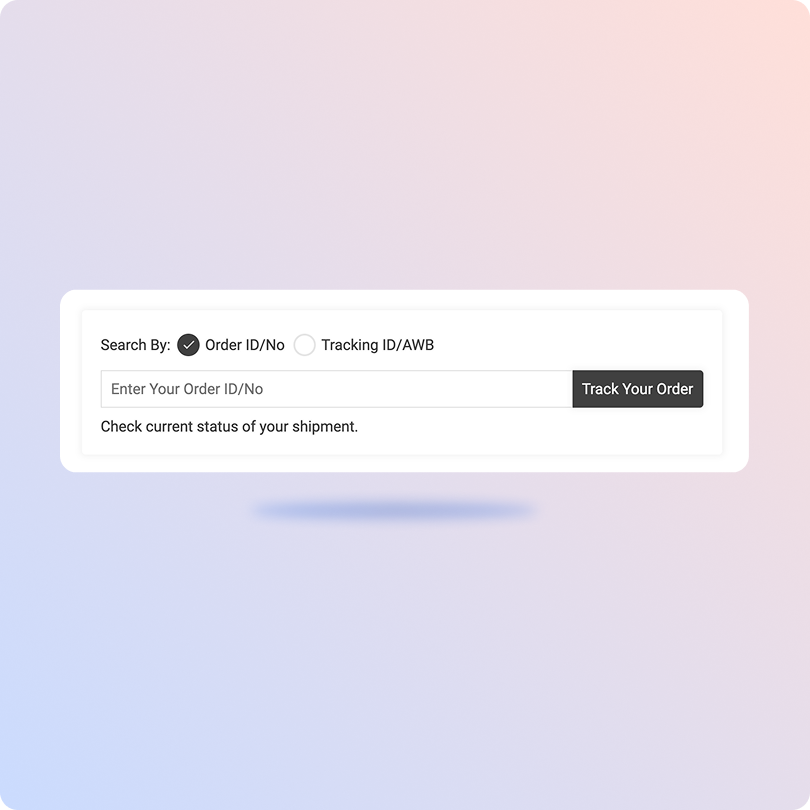
Track Careem Packages with ClickPost Tracking Page

  • Get your Careem tracking number from the order confirmation.

  • Head over to the ClickPost Tracking Page.

  • Enter the tracking number in the search bar.

  • Press "Track" and your delivery's live status will appear right away.

Track Careem Packages on the Official Page

  • Log in to the Careem Supplier Portal with your vendor credentials.

  • Head to the tracking section to monitor your captains and fleet vehicles in real time.

  • Select a specific captain or vehicle to view their live location and delivery status.

  • Track active deliveries and monitor progress until each order is completed.

List of Careem Courier APIs

API Description
Manifestation and Label Generation API Create Careem delivery orders and generate labels in bulk across 70+ cities without your team handling each one manually.
Track Shipment API Every Careem delivery update flows into a single dashboard in real time so your team has full visibility across the Middle East without jumping between systems.
Cancellation API Cancel a Careem order straight from ClickPost before it's picked up, without having to coordinate with the carrier separately.
EDD API Show customers an accurate delivery window at checkout so they know exactly when to expect their order before they confirm the purchase.
NDR Action Update When a Careem delivery doesn't go through, your team gets an instant alert with everything needed to reattempt, redirect, or escalate before it becomes a return.
Return Webhooks Careem return flows kick off automatically the moment a customer raises one, keeping reverse logistics running without any manual input from your team.
API & Description
Manifestation and Label Generation API
Create Careem delivery orders and generate labels in bulk across 70+ cities without your team handling each one manually.
Track Shipment API
Every Careem delivery update flows into a single dashboard in real time so your team has full visibility across the Middle East without jumping between systems.
Cancellation API
Cancel a Careem order straight from ClickPost before it's picked up, without having to coordinate with the carrier separately.
EDD API
Show customers an accurate delivery window at checkout so they know exactly when to expect their order before they confirm the purchase.
NDR Action Update
When a Careem delivery doesn't go through, your team gets an instant alert with everything needed to reattempt, redirect, or escalate before it becomes a return.
Return Webhooks
Careem return flows kick off automatically the moment a customer raises one, keeping reverse logistics running without any manual input from your team.

Frequently asked questions

How do I integrate the Careem API into my logistics app to track rides in real time?

Start by requesting API credentials from Careem's corporate developer portal to get your OAuth2 bearer token. Submit a POST request to their booking endpoint with pickup and drop-off coordinates to create a ride or delivery task. Once a Captain is assigned, you can either poll Careem's tracking endpoint or set up webhooks that push live driver location updates directly to your system.

What are the key features of the Careem API for fleet tracking and delivery management?

The Careem Express and Careem for Business APIs cover automated dispatching, real-time driver geolocation, dynamic ETA calculations based on live traffic, proof of delivery including digital signatures and photo confirmation, and multi-city scalability across major hubs in the UAE, KSA, and Qatar.

How do I set up Careem ride tracking webhooks for my e-commerce order fulfillment system?

Register a secure HTTPS endpoint in your Careem business developer dashboard and subscribe to events like trip.assigned, trip.in_transit, and trip.completed. When Careem sends a JSON payload to your endpoint, parse the status and driver coordinates to automatically update your internal order status. Always verify incoming payloads using Careem's signed webhook secret header to prevent spoofing.

How can I use the Careem API to automate last-mile delivery tracking in the Middle East?

When an order is marked ready to ship in your system, fire a request to Careem to book a Captain. Map Careem's live tracking URL from the API response to an automated WhatsApp, SMS, or email notification for the customer. Once the Captain marks the delivery complete, the webhook hits your system and triggers inventory reconciliation automatically.

What are the best alternatives to the Careem API for ride and delivery tracking in the MENA region?

Uber Direct, Yango Delivery, Aramex, and regional players like Jeebly and iMile are commonly used alternatives across the GCC and wider MENA market, each suited to different use cases ranging from hyperlocal delivery to cross-border parcel shipping.

Can Careem handle high-volume e-commerce deliveries across multiple cities?

Yes. Careem Express is built for scale, operating across 70+ cities in 10 countries. Its automated dispatching assigns the nearest available Captain to each delivery, which keeps turnaround times tight even during high-volume periods.

How do logistics platforms in Saudi Arabia integrate Careem for last-mile delivery tracking?

Operators use multi-carrier platforms to check serviceability by zone or postal code. When Careem Express is the fastest or most cost-efficient option for an intra-city delivery in Riyadh or Jeddah, an API manifestation request goes out to Careem. The generated waybill and tracking references are fed into compliance dashboards aligned with Saudi Transport General Authority tracking standards.

Can the Careem API track multiple employees booking rides simultaneously for a corporate fleet dashboard?

Yes. Through the Careem for Business API, corporate admins can fetch all active employee trips under a single parent account in one call. The response returns an array of live rides with individual Captain details, real-time coordinates, and billing metrics for each booking, making it straightforward to manage a corporate fleet from one dashboard.

How does ClickPost reduce WISMO queries for Careem shipments?

Once a Careem delivery is on its way, ClickPost sends proactive milestone notifications to customers via WhatsApp, SMS, or email so they always know where their order is. Customers can also check live delivery status on a branded tracking portal without having to contact your support team. Together, these cut down inbound WISMO queries by up to 60%.

Can ClickPost manage multi-carrier allocation between Careem and other MENA carriers?

Yes. ClickPost's AI-based carrier allocation engine evaluates factors like delivery speed, pin code serviceability, and cost to automatically assign the right carrier for each order. If Careem is the best fit for an intra-city delivery, it gets selected. For shipments outside Careem's coverage or where another carrier performs better, ClickPost switches seamlessly without any manual intervention from your team.

Streamline your shipping experience with ClickPost

image (3)-3
. window.disableHubSpotCookieBanner = true; function killNative() { var n = document.getElementById("hs-eu-cookie-confirmation"); if (n && n.parentNode) { n.parentNode.removeChild(n); return true; } return false; } killNative(); if (window.MutationObserver) { var mo = new MutationObserver(function () { killNative(); }); mo.observe(document.documentElement, { childList: true, subtree: true }); setTimeout(function () { mo.disconnect(); }, 15000); } var COOKIE = "cp_cookie_consent"; var EU = ["at","be","bg","hr","cy","cz","dk","ee","fi","fr","de","gr","hu","ie","it","lv","lt","lu","mt","nl","pl","pt","ro","sk","si","es","se","gb","uk","is","li","no","ch"]; function readCookie(nm) { var m = document.cookie.match(new RegExp("(?:^|; )" + nm + "=([^;]*)")); return m ? decodeURIComponent(m[1]) : null; } function writeCookie(nm, val, days) { var d = new Date(); d.setTime(d.getTime() + (days * 864e5)); document.cookie = nm + "=" + encodeURIComponent(val) + ";expires=" + d.toUTCString() + ";path=/;SameSite=Lax" + (location.protocol === "https:" ? ";Secure" : ""); } function stored() { var raw = readCookie(COOKIE); if (!raw) return null; try { var o = JSON.parse(raw); if (typeof o.analytics === "boolean") return o; } catch (e) {} return null; } function apply(state, revoke) { window._hsp = window._hsp || []; window._hsp.push(["setHubSpotConsent", { analytics: !!state.analytics, advertisement: !!state.advertisement, functionality: !!state.functionality }]); if (revoke && !state.analytics && !state.advertisement && !state.functionality) { window._hsp.push(["revokeCookieConsent"]); } window.dataLayer = window.dataLayer || []; window.dataLayer.push({ event: "cp_cookie_consent", cp_consent_analytics: !!state.analytics, cp_consent_advertisement: !!state.advertisement, cp_consent_functionality: !!state.functionality }); document.documentElement.setAttribute("data-cp-consent", "set"); } function inScope(banner) { if (banner.getAttribute("data-scope") !== "eu_only") return true; var geo = (document.body.getAttribute("data-geo_location") || "").toLowerCase(); if (!geo) return true; return EU.indexOf(geo) !== -1; } function init(banner) { var days = parseInt(banner.getAttribute("data-days"), 10) || 180; var prefs = banner.querySelector("[data-cpcb-prefs]"); var compact = banner.querySelector('[data-cpcb-actions="compact"]'); var expanded = banner.querySelector('[data-cpcb-actions="expanded"]'); var toggles = banner.querySelectorAll("[data-cpcb-toggle]"); function show() { banner.hidden = false; requestAnimationFrame(function () { banner.classList.add("is-visible"); }); } function hide() { banner.classList.remove("is-visible"); setTimeout(function () { banner.hidden = true; }, 300); } function collapse() { if (!prefs) return; prefs.hidden = true; if (expanded) expanded.hidden = true; if (compact) compact.hidden = false; } function expand() { if (!prefs) return; prefs.hidden = false; if (compact) compact.hidden = true; if (expanded) expanded.hidden = false; } function paint(state) { Array.prototype.forEach.call(toggles, function (t) { var key = t.getAttribute("data-cpcb-toggle"); if (key === "necessary") { t.setAttribute("aria-checked", "true"); return; } t.setAttribute("aria-checked", state[key] ? "true" : "false"); }); } function fromToggles() { var state = { analytics: false, advertisement: false, functionality: false }; Array.prototype.forEach.call(toggles, function (t) { var key = t.getAttribute("data-cpcb-toggle"); if (key in state) state[key] = t.getAttribute("aria-checked") === "true"; }); return state; } function commit(state, revoke) { writeCookie(COOKIE, JSON.stringify({ analytics: !!state.analytics, advertisement: !!state.advertisement, functionality: !!state.functionality, v: 1, ts: Date.now() }), days); apply(state, revoke); hide(); } Array.prototype.forEach.call(toggles, function (t) { if (t.disabled) return; t.addEventListener("click", function () { t.setAttribute("aria-checked", t.getAttribute("aria-checked") === "true" ? "false" : "true"); }); }); banner.addEventListener("click", function (e) { if (!e.target || !e.target.closest) return; var btn = e.target.closest("[data-cpcb-action]"); if (!btn) return; var action = btn.getAttribute("data-cpcb-action"); if (action === "customise") { expand(); return; } if (action === "accept") { commit({ analytics: true, advertisement: true, functionality: true }, false); return; } if (action === "reject") { commit({ analytics: false, advertisement: false, functionality: false }, true); return; } if (action === "save") { commit(fromToggles(), true); return; } }); var existing = stored(); if (existing) { apply(existing, false); paint(existing); collapse(); } else if (!inScope(banner)) { // Out of the consent-required region: implied consent, banner never shown. commitSilently(); } else { collapse(); show(); } function commitSilently() { var all = { analytics: true, advertisement: true, functionality: true }; writeCookie(COOKIE, JSON.stringify({ analytics: true, advertisement: true, functionality: true, v: 1, ts: Date.now(), implied: true }), days); apply(all, false); } // Public re-open hook for a footer "Cookie settings" link. window.cpCookieBanner = window.cpCookieBanner || {}; window.cpCookieBanner.open = function () { var s = stored() || { analytics: false, advertisement: false, functionality: false }; paint(s); expand(); show(); }; } function boot() { var banners = document.querySelectorAll("[data-cpcb]"); if (!banners.length) return; init(banners[0]); document.addEventListener("click", function (e) { if (!e.target || !e.target.closest) return; var trigger = e.target.closest("[data-cp-cookie-settings]"); if (!trigger) return; e.preventDefault(); if (window.cpCookieBanner && window.cpCookieBanner.open) window.cpCookieBanner.open(); }); } if (document.readyState === "loading") { document.addEventListener("DOMContentLoaded", boot); } else { boot(); } })();