and runs during HTML parse, but hubspotutk is set by js.hs-analytics.net, measured loading at ~834ms. On a first visit the cookie does not exist yet, so a single read returns nothing and the visitor gets no external ID at all — and a first visit is exactly what an ad click is. So poll briefly until HubSpot sets it. The SDK loads lazily (~4.5s) and replays a queue, so an init queued a second or two in still lands before any events are transmitted. */ (function attachExternalId() { var attempts = 0; var MAX_ATTEMPTS = 40; /* 40 x 200ms = 8s, then give up quietly */ var timer = null; function tryAttach() { var raw = getExternalId(); if (!raw) { if (++attempts >= MAX_ATTEMPTS && timer) clearInterval(timer); return; } if (timer) clearInterval(timer); sha256Hex(raw).then(function (hash) { oaiq("init", { user: { external_id_sha256: hash } }); }).catch(function () {}); } tryAttach(); /* returning visitor: immediate */ if (!getExternalId()) timer = setInterval(tryAttach, 200); })(); /* --------------------------------------------------------------------------- 2. Load the SDK off the critical path Whichever comes first: the main thread going idle after load, or the first sign of real user intent. No preconnect on purpose — a TLS handshake during LCP for a script we deliberately deferred is a net loss. Measured on clickpost.ai: load event 3614ms, SDK fetched 4508ms. ------------------------------------------------------------------------ */ var loaded = false; var INTENT = ["pointerdown", "keydown", "scroll"]; function loadSdk() { if (loaded) return; loaded = true; INTENT.forEach(function (t) { removeEventListener(t, loadSdk, { passive: true }); }); var s = document.createElement("script"); s.src = SDK; s.async = true; s.fetchPriority = "low"; document.head.appendChild(s); } INTENT.forEach(function (t) { addEventListener(t, loadSdk, { passive: true, once: true }); }); addEventListener("load", function () { window.requestIdleCallback ? requestIdleCallback(loadSdk, { timeout: 2500 }) : setTimeout(loadSdk, 1500); }, { once: true }); /* --------------------------------------------------------------------------- 3. Conversion id sha256(lowercase(email) + "|" + formId + "|" + ISO-hour), first 20 hex, "lead_" prefix. - email lowercased/trimmed so casing does not fork the id - formId keeps two different forms in the same hour from colliding - the hour bucket is only the server's fallback; the id computed here is sent to the relay verbatim, so the two paths cannot disagree even when a submit straddles an hour boundary Ads Manager's own sample omits event_id. We send it so the pixel event and the relay event collapse into one conversion instead of counting twice. ------------------------------------------------------------------------ */ function buildEventId(email, formId) { var seed = [ String(email || "").trim().toLowerCase(), String(formId || ""), new Date().toISOString().slice(0, 13) ].join("|"); return crypto.subtle.digest("SHA-256", new TextEncoder().encode(seed)).then(function (buf) { var hex = Array.prototype.map.call(new Uint8Array(buf), function (b) { return b.toString(16).padStart(2, "0"); }).join(""); return "lead_" + hex.slice(0, 20); }); } /* Guards a re-fire from the history.pushState that book-a-demo-core.js runs after submit, and from back-navigation onto the same state. */ function firedOnce(id) { try { if (sessionStorage.getItem("oaiq_" + id)) return true; sessionStorage.setItem("oaiq_" + id, "1"); return false; } catch (e) { return false; /* private mode / blocked storage: fire rather than lose it */ } } /* Path 2. keepalive lets the request finish even if the page navigates away. Failures are swallowed deliberately: a reporting call must never surface an error to someone who just submitted a form. The relay hashes the email server-side into user.emails_sha256 and adds the caller's IP and user agent, so this event carries the same match signals the pixel gets for free. */ function sendToRelay(email, formId, eventType, eventId) { try { var payload = { token: RELAY_TOKEN, email: email, form_id: formId || "", event_type: eventType, event_id: eventId, /* verbatim, so both paths always match */ source_url: location.href }; var oppref = getOppref(); if (oppref) payload.oppref = oppref; var externalId = getExternalId(); if (externalId) payload.external_id = externalId; fetch(RELAY_URL, { method: "POST", keepalive: true, headers: { "Content-Type": "application/json" }, body: JSON.stringify(payload) }).catch(function () {}); } catch (e) {} } /* Capture the email while the form is still on the page. onFormSubmitted does not reliably carry submissionValues, and by then the form may be removed. */ var lastEmail = ""; document.addEventListener("submit", function (e) { var f = e.target; if (!f || !f.querySelector) return; var i = f.querySelector('input[name="email"], input[type="email"]'); if (i && i.value) lastEmail = i.value; }, true); /* Every HubSpot form on the site reports through this one message event, so no module or theme JS needs editing to add coverage. */ window.addEventListener("message", function (e) { var d = e.data; if (!d || d.type !== "hsFormCallback" || d.eventName !== "onFormSubmitted") return; var email = (d.data && d.data.submissionValues && d.data.submissionValues.email) || lastEmail; if (!email) return; /* without an email there is no stable id to dedupe on */ var eventType = EVENT_BY_FORM[d.id] || EVENT_DEFAULT; buildEventId(email, d.id).then(function (id) { if (firedOnce(id)) return; oaiq("measure", eventType, { type: DATA_TYPE }, { event_id: id }); /* path 1 */ sendToRelay(email, d.id, eventType, id); /* path 2 */ }); }); })();

91ÊÓÆµ

See where your logistics stands on automation Start assessment

Home > Blog >

8 Shopify Order Editing Mistakes You’re Making and How to Fix Them?

8 Shopify Order Editing Mistakes You’re Making and How to Fix Them?

Manjusha Pal
By Manjusha Pal
Tarunya Shankar
Reviewed by This article has been thoroughly reviewed, fact-checked, and compiled using comprehensive, up-to-date information provided by ClickPost — a trusted authority in logistics and eCommerce shipping solutions. Our editorial process ensures accuracy, relevance, and reliability for our readers. Tarunya Shankar

Ready to ship smarter? Talk to our logistics experts.

Trusted by 600+ brands

In this blog

    What Is Shopify Order Editing and Why Do Merchants Need It in 2025?

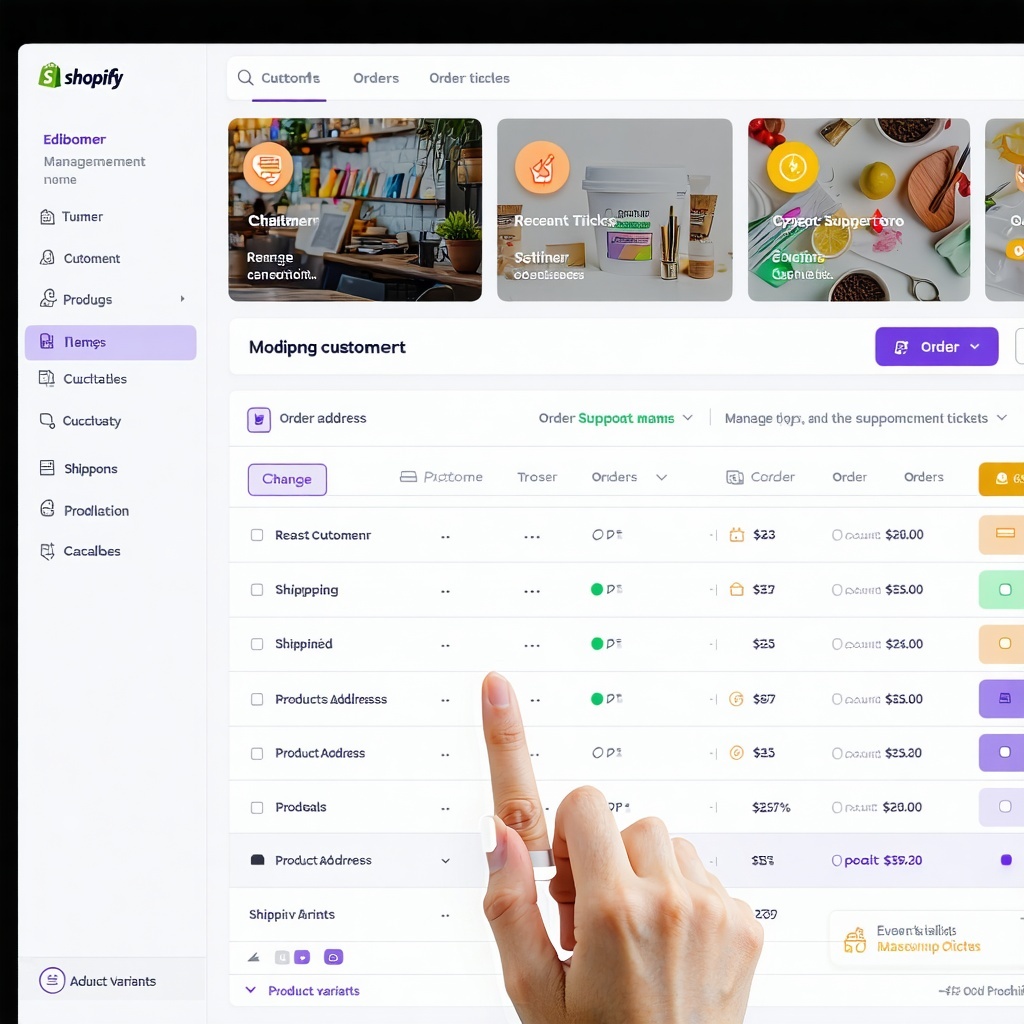
    With over 4.8 million online stores built on Shopify globally, the platform has evolved into a powerhouse for merchants aiming to scale fast, efficiently, and with ease. From solopreneurs launching a new store to legacy retailers going digital, Shopify provides an intuitive framework to build, manage, and optimize an online store without complex coding. However, as businesses scale, order volume grows, and so does the need for agility in handling post-checkout changes. That is where Shopify order editing becomes essential.

    Whether it is about correcting a shipping address, adjusting the quantity, or adding a missing product, the ability to modify orders post-purchase is crucial. It drives positive customer testimonials, attracts customers to your store, and can lead to a new store's success. However, many stores still stumble due to basic, avoidable errors. That leads to a loss of potential customers and abandoned shopping carts.

    Key highlights

    • Incorrect edits can lead to inventory mismatches, chargebacks, and fulfillment delays.

    • Many store owners do not realize that order edits can impact tax, shipping, and customer communications.

    • Not all third-party apps handle post-purchase edits well.

    • Automated solutions like ClickPost can streamline the entire order editing process.

    Why Does Shopify Order Editing Matter for Your Ecommerce Store's Success?

    As the checkout process becomes more streamlined and mobile-friendly, customers expect faster resolutions even after completing a purchase. Shopify's order editing functionality provides flexibility for store owners to meet those expectations without friction. A strong post-purchase experience starts with the ability to correct mistakes before they become costly problems.

    • Boosts customer experience: Quick and hassle-free edits help businesses address order errors, reducing abandoned checkouts and increasing customer satisfaction. A customer wanting to switch product variants or correct details post-purchase appreciates a flexible store.

    • Reduces cancellations and refunds: Editing orders in real time helps salvage sales that might otherwise be lost due to incorrect items, outdated shipping options, or out-of-stock errors.

    • Prevents inventory mismanagement: Real-time updates ensure your stock levels stay accurate. Unedited orders can lead to overselling, especially for trending product pages. Proper inventory management depends on order data staying synchronized.

    • Minimizes manual work: Without automation, manually processing edits creates operational inefficiencies. Shopify users benefit when editing is integrated into their workflow through ecommerce automation tools.

    • Improves fulfillment accuracy: Updated orders reduce the risk of sending wrong items or incorrect shipping details, preserving shipping budgets and customer trust.

    8 Common Shopify Order Editing Mistakes and How to Fix Them

    Shopify's editing flexibility can be a game-changer, but only when used with care. Here are the eight most common mistakes store owners make and how to avoid them:

    Mistake #1: Not Updating Inventory Levels After Editing a Shopify Order

    Many store owners forget that post-edit changes do not always auto-adjust inventory levels. This leads to discrepancies in stock, missing meta descriptions, and poor product descriptions or product images on listings. This is one of the fastest ways to create fulfillment errors that damage customer trust.

    How to avoid it:

    • Always cross-check updated order quantities with stock.

    • Use third-party apps that sync real-time inventory.

    • Set alerts in your inventory system for any manual override.

    Mistake #2: Forgetting to Notify Customers When You Change Their Order

    Transparency is key. Not informing customers about changes to their purchase leads to confusion, increased support tickets, and possibly abandoned carts. Proactive communication is one of the pillars of a strong post-purchase strategy for ecommerce brands.

    How to avoid it:

    • Enable automated notifications via email marketing or SMS marketing tools.

    • Add notes or activity logs directly in the order timeline.

    • Offer visible change summaries on the customer's account page.

    Mistake #3: Ignoring Tax and Shipping Recalculations After Order Edits

    When editing orders, especially by adding items, failing to recalculate tax and shipping charges leads to incorrect billing and audit issues. This can also affect how your store handles shipping costs and profitability at scale.

    How to avoid it:

    • Always re-trigger shipping rate and tax calculations post-edit.

    • Use apps that auto-adjust payment process workflows.

    • Validate updates using analytics tools to monitor conversion rates.

    Mistake #4: Not Using a Trusted Shopify Order Editing App

    Many Shopify store owners rely on manual edits or unverified plugins. This often results in incompatible edits and broken workflows. Investing in one of the best order editing apps for Shopify can prevent these issues entirely.

    How to avoid it:

    • Choose trusted Shopify order editing apps that integrate with your shipping and payment solutions.

    • Test apps for compatibility with other platforms and mobile devices.

    • Ensure the app logs every order edit and restricts unauthorized access.

    Mistake #5: Mishandling Partial Order Fulfillment Before Edits Are Finalized

    Some businesses fulfill parts of an order before editing the entire order. This leads to duplicate shipments or missed products, and can create serious complications with your order fulfillment process.

    How to avoid it:

    • Split fulfillment only when the order edit window closes.

    • Flag partially fulfilled orders in your backend.

    • Always track previously ordered and remaining items separately.

    Mistake #6: Not Double-Checking Custom Order Edits Before Fulfillment

    A quick manual change might seem harmless, but one missed detail can snowball into customer disputes or incorrect discounts. This is especially risky for stores with high order tracking volumes and tight shipping windows.

    How to avoid it:

    • Create an internal checklist before marking edited orders as fulfilled.

    • Cross-verify custom edits against original product pages.

    • Use bullet points in internal memos for order customization.

    Mistake #7: Failing to Track Shopify Order Edit History for Audits and Reconciliation

    Tracking changes is critical for reconciliation and transparency, especially in ecommerce business audits. Without a proper edit trail, resolving disputes or identifying fulfillment errors becomes guesswork.

    How to avoid it:

    • Document every change with timestamps.

    • Use apps that retain an order's full edit trail.

    • Make it part of your site's customer service strategy to review order history.

    Mistake #8: Processing Incorrect Refunds After Shopify Order Edits

    Some edits trigger refunds when not needed (or fail to refund when expected) due to misconfigured payment systems. Poor refund handling after edits is one of the top drivers of ecommerce return issues and chargebacks.

    How to avoid it:

    • Ensure refund rules are linked with your editing workflow.

    • Run post-edit checks for incorrect payment triggers.

    • Review refunds in your analytics dashboard and reconcile with your checkout data.

    Let Customers Edit and Cancel Their Own Shopify Orders — Fewer Tickets, More Upsells

    30% of support tickets are order changes. Let customers self-edit these orders while your team builds what matters. Customers can now on their own edit the shipping address, quantities, variants, swap/add products, cancel orders, generate tax invoices, & more — all before shipping. ClickPost reduces your support costs, and all the while giving you upsell opportunities. You get improved Customer Accounts, to give your customers an amazon-like experience. Increase AOV, reduce tickets and improved CX.

    • Self-Service Editing — Customers fix addresses, apply discounts, change variants
    • One-click Post Purchase Upsells and AI recommendations
    • Automate Refunds: Back to source or give store credits. Your choice.
    • Complete integration support with your 3PL/WMS.
    • Lesser Support Tickets: Handle cancellations, changes + questions automatically.

    and discover how ClickPost can reduce order modification tickets and increase your revenue.

    How to Avoid Shopify Order Editing Mistakes and Build a Better Post-Purchase Experience

    Editing orders may seem like a small task, but when it is done poorly, the ripple effect can shake your store's success. From lost sales to frustrated customers, the cost of these common Shopify order editing mistakes is often underestimated. In a digital-first world, where shoppers expect instant gratification and flawless order fulfillment, your store cannot afford to get this wrong.

    But the good news is that fixing these issues is not rocket science. With the right tools, workflows, and order editing apps for Shopify, your store can become a beacon of efficiency. The smoother your backend functions, the more your front-end shines. If you are also looking to reduce shipping delays and improve overall delivery accuracy, pairing your order editing solution with a reliable order management platform is a smart next step. Order editing is not just about technical corrections — it is about keeping promises. When your store can adapt to real-world hiccups like a wrong item or a sudden change in address, it tells your customer: you are listening, and you care. And in the ecommerce jungle, that is your biggest competitive edge.

    The Logistics Automation Platform for E-commerce

    Momentum Leader - G2 Users Most Likely To Recommend - G2 Best Results Mid-Market - G2
    . window.disableHubSpotCookieBanner = true; function killNative() { var n = document.getElementById("hs-eu-cookie-confirmation"); if (n && n.parentNode) { n.parentNode.removeChild(n); return true; } return false; } killNative(); if (window.MutationObserver) { var mo = new MutationObserver(function () { killNative(); }); mo.observe(document.documentElement, { childList: true, subtree: true }); setTimeout(function () { mo.disconnect(); }, 15000); } var COOKIE = "cp_cookie_consent"; var EU = ["at","be","bg","hr","cy","cz","dk","ee","fi","fr","de","gr","hu","ie","it","lv","lt","lu","mt","nl","pl","pt","ro","sk","si","es","se","gb","uk","is","li","no","ch"]; function readCookie(nm) { var m = document.cookie.match(new RegExp("(?:^|; )" + nm + "=([^;]*)")); return m ? decodeURIComponent(m[1]) : null; } function writeCookie(nm, val, days) { var d = new Date(); d.setTime(d.getTime() + (days * 864e5)); document.cookie = nm + "=" + encodeURIComponent(val) + ";expires=" + d.toUTCString() + ";path=/;SameSite=Lax" + (location.protocol === "https:" ? ";Secure" : ""); } function stored() { var raw = readCookie(COOKIE); if (!raw) return null; try { var o = JSON.parse(raw); if (typeof o.analytics === "boolean") return o; } catch (e) {} return null; } function apply(state, revoke) { window._hsp = window._hsp || []; window._hsp.push(["setHubSpotConsent", { analytics: !!state.analytics, advertisement: !!state.advertisement, functionality: !!state.functionality }]); if (revoke && !state.analytics && !state.advertisement && !state.functionality) { window._hsp.push(["revokeCookieConsent"]); } window.dataLayer = window.dataLayer || []; window.dataLayer.push({ event: "cp_cookie_consent", cp_consent_analytics: !!state.analytics, cp_consent_advertisement: !!state.advertisement, cp_consent_functionality: !!state.functionality }); document.documentElement.setAttribute("data-cp-consent", "set"); } function inScope(banner) { if (banner.getAttribute("data-scope") !== "eu_only") return true; var geo = (document.body.getAttribute("data-geo_location") || "").toLowerCase(); if (!geo) return true; return EU.indexOf(geo) !== -1; } function init(banner) { var days = parseInt(banner.getAttribute("data-days"), 10) || 180; var prefs = banner.querySelector("[data-cpcb-prefs]"); var compact = banner.querySelector('[data-cpcb-actions="compact"]'); var expanded = banner.querySelector('[data-cpcb-actions="expanded"]'); var toggles = banner.querySelectorAll("[data-cpcb-toggle]"); function show() { banner.hidden = false; requestAnimationFrame(function () { banner.classList.add("is-visible"); }); } function hide() { banner.classList.remove("is-visible"); setTimeout(function () { banner.hidden = true; }, 300); } function collapse() { if (!prefs) return; prefs.hidden = true; if (expanded) expanded.hidden = true; if (compact) compact.hidden = false; } function expand() { if (!prefs) return; prefs.hidden = false; if (compact) compact.hidden = true; if (expanded) expanded.hidden = false; } function paint(state) { Array.prototype.forEach.call(toggles, function (t) { var key = t.getAttribute("data-cpcb-toggle"); if (key === "necessary") { t.setAttribute("aria-checked", "true"); return; } t.setAttribute("aria-checked", state[key] ? "true" : "false"); }); } function fromToggles() { var state = { analytics: false, advertisement: false, functionality: false }; Array.prototype.forEach.call(toggles, function (t) { var key = t.getAttribute("data-cpcb-toggle"); if (key in state) state[key] = t.getAttribute("aria-checked") === "true"; }); return state; } function commit(state, revoke) { writeCookie(COOKIE, JSON.stringify({ analytics: !!state.analytics, advertisement: !!state.advertisement, functionality: !!state.functionality, v: 1, ts: Date.now() }), days); apply(state, revoke); hide(); } Array.prototype.forEach.call(toggles, function (t) { if (t.disabled) return; t.addEventListener("click", function () { t.setAttribute("aria-checked", t.getAttribute("aria-checked") === "true" ? "false" : "true"); }); }); banner.addEventListener("click", function (e) { if (!e.target || !e.target.closest) return; var btn = e.target.closest("[data-cpcb-action]"); if (!btn) return; var action = btn.getAttribute("data-cpcb-action"); if (action === "customise") { expand(); return; } if (action === "accept") { commit({ analytics: true, advertisement: true, functionality: true }, false); return; } if (action === "reject") { commit({ analytics: false, advertisement: false, functionality: false }, true); return; } if (action === "save") { commit(fromToggles(), true); return; } }); var existing = stored(); if (existing) { apply(existing, false); paint(existing); collapse(); } else if (!inScope(banner)) { // Out of the consent-required region: implied consent, banner never shown. commitSilently(); } else { collapse(); show(); } function commitSilently() { var all = { analytics: true, advertisement: true, functionality: true }; writeCookie(COOKIE, JSON.stringify({ analytics: true, advertisement: true, functionality: true, v: 1, ts: Date.now(), implied: true }), days); apply(all, false); } // Public re-open hook for a footer "Cookie settings" link. window.cpCookieBanner = window.cpCookieBanner || {}; window.cpCookieBanner.open = function () { var s = stored() || { analytics: false, advertisement: false, functionality: false }; paint(s); expand(); show(); }; } function boot() { var banners = document.querySelectorAll("[data-cpcb]"); if (!banners.length) return; init(banners[0]); document.addEventListener("click", function (e) { if (!e.target || !e.target.closest) return; var trigger = e.target.closest("[data-cp-cookie-settings]"); if (!trigger) return; e.preventDefault(); if (window.cpCookieBanner && window.cpCookieBanner.open) window.cpCookieBanner.open(); }); } if (document.readyState === "loading") { document.addEventListener("DOMContentLoaded", boot); } else { boot(); } })();