and runs during HTML parse, but hubspotutk is set by js.hs-analytics.net, measured loading at ~834ms. On a first visit the cookie does not exist yet, so a single read returns nothing and the visitor gets no external ID at all — and a first visit is exactly what an ad click is. So poll briefly until HubSpot sets it. The SDK loads lazily (~4.5s) and replays a queue, so an init queued a second or two in still lands before any events are transmitted. */ (function attachExternalId() { var attempts = 0; var MAX_ATTEMPTS = 40; /* 40 x 200ms = 8s, then give up quietly */ var timer = null; function tryAttach() { var raw = getExternalId(); if (!raw) { if (++attempts >= MAX_ATTEMPTS && timer) clearInterval(timer); return; } if (timer) clearInterval(timer); sha256Hex(raw).then(function (hash) { oaiq("init", { user: { external_id_sha256: hash } }); }).catch(function () {}); } tryAttach(); /* returning visitor: immediate */ if (!getExternalId()) timer = setInterval(tryAttach, 200); })(); /* --------------------------------------------------------------------------- 2. Load the SDK off the critical path Whichever comes first: the main thread going idle after load, or the first sign of real user intent. No preconnect on purpose — a TLS handshake during LCP for a script we deliberately deferred is a net loss. Measured on clickpost.ai: load event 3614ms, SDK fetched 4508ms. ------------------------------------------------------------------------ */ var loaded = false; var INTENT = ["pointerdown", "keydown", "scroll"]; function loadSdk() { if (loaded) return; loaded = true; INTENT.forEach(function (t) { removeEventListener(t, loadSdk, { passive: true }); }); var s = document.createElement("script"); s.src = SDK; s.async = true; s.fetchPriority = "low"; document.head.appendChild(s); } INTENT.forEach(function (t) { addEventListener(t, loadSdk, { passive: true, once: true }); }); addEventListener("load", function () { window.requestIdleCallback ? requestIdleCallback(loadSdk, { timeout: 2500 }) : setTimeout(loadSdk, 1500); }, { once: true }); /* --------------------------------------------------------------------------- 3. Conversion id sha256(lowercase(email) + "|" + formId + "|" + ISO-hour), first 20 hex, "lead_" prefix. - email lowercased/trimmed so casing does not fork the id - formId keeps two different forms in the same hour from colliding - the hour bucket is only the server's fallback; the id computed here is sent to the relay verbatim, so the two paths cannot disagree even when a submit straddles an hour boundary Ads Manager's own sample omits event_id. We send it so the pixel event and the relay event collapse into one conversion instead of counting twice. ------------------------------------------------------------------------ */ function buildEventId(email, formId) { var seed = [ String(email || "").trim().toLowerCase(), String(formId || ""), new Date().toISOString().slice(0, 13) ].join("|"); return crypto.subtle.digest("SHA-256", new TextEncoder().encode(seed)).then(function (buf) { var hex = Array.prototype.map.call(new Uint8Array(buf), function (b) { return b.toString(16).padStart(2, "0"); }).join(""); return "lead_" + hex.slice(0, 20); }); } /* Guards a re-fire from the history.pushState that book-a-demo-core.js runs after submit, and from back-navigation onto the same state. */ function firedOnce(id) { try { if (sessionStorage.getItem("oaiq_" + id)) return true; sessionStorage.setItem("oaiq_" + id, "1"); return false; } catch (e) { return false; /* private mode / blocked storage: fire rather than lose it */ } } /* Path 2. keepalive lets the request finish even if the page navigates away. Failures are swallowed deliberately: a reporting call must never surface an error to someone who just submitted a form. The relay hashes the email server-side into user.emails_sha256 and adds the caller's IP and user agent, so this event carries the same match signals the pixel gets for free. */ function sendToRelay(email, formId, eventType, eventId) { try { var payload = { token: RELAY_TOKEN, email: email, form_id: formId || "", event_type: eventType, event_id: eventId, /* verbatim, so both paths always match */ source_url: location.href }; var oppref = getOppref(); if (oppref) payload.oppref = oppref; var externalId = getExternalId(); if (externalId) payload.external_id = externalId; fetch(RELAY_URL, { method: "POST", keepalive: true, headers: { "Content-Type": "application/json" }, body: JSON.stringify(payload) }).catch(function () {}); } catch (e) {} } /* Capture the email while the form is still on the page. onFormSubmitted does not reliably carry submissionValues, and by then the form may be removed. */ var lastEmail = ""; document.addEventListener("submit", function (e) { var f = e.target; if (!f || !f.querySelector) return; var i = f.querySelector('input[name="email"], input[type="email"]'); if (i && i.value) lastEmail = i.value; }, true); /* Every HubSpot form on the site reports through this one message event, so no module or theme JS needs editing to add coverage. */ window.addEventListener("message", function (e) { var d = e.data; if (!d || d.type !== "hsFormCallback" || d.eventName !== "onFormSubmitted") return; var email = (d.data && d.data.submissionValues && d.data.submissionValues.email) || lastEmail; if (!email) return; /* without an email there is no stable id to dedupe on */ var eventType = EVENT_BY_FORM[d.id] || EVENT_DEFAULT; buildEventId(email, d.id).then(function (id) { if (firedOnce(id)) return; oaiq("measure", eventType, { type: DATA_TYPE }, { event_id: id }); /* path 1 */ sendToRelay(email, d.id, eventType, id); /* path 2 */ }); }); })();

91ÊÓÆµ

See where your logistics stands on automation Start assessment

Home > Blog >

Best Invoice Apps for Shopify

Best Invoice Apps for Shopify

Tarunya Shankar
By Tarunya Shankar

Ready to ship smarter? Talk to our logistics experts.

Trusted by 600+ brands

In this blog

    What is an Invoice App, and How Does it Work?

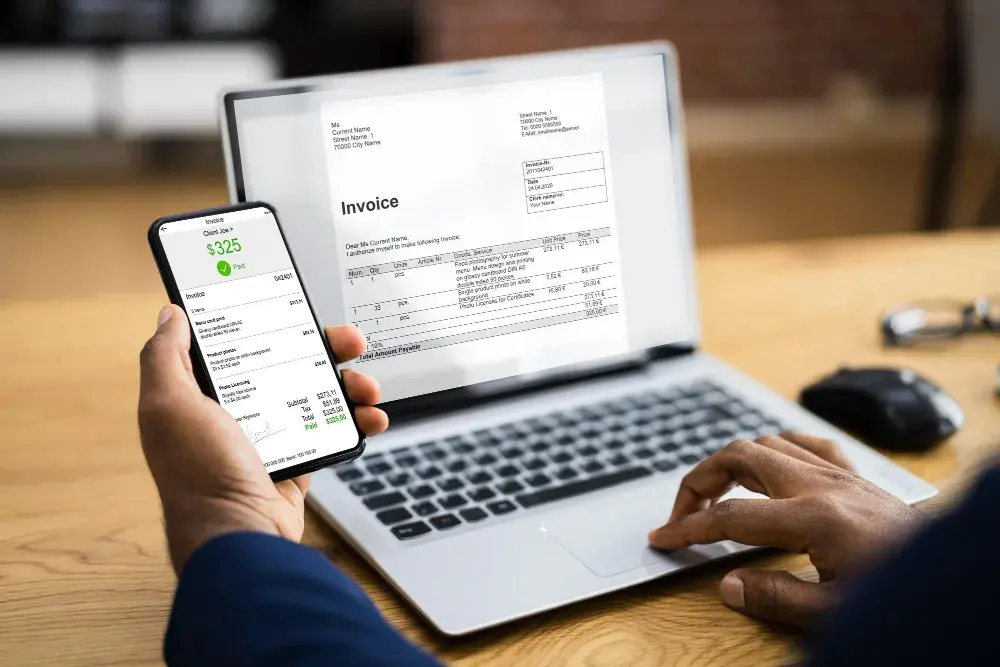
    Maintaining an invoicing system that is both proper and accurate has become essential for any business. Invoicing has become more convenient and efficient with the Shopify app store than ever. 

    Most importantly, it gives your business a professional impression and improves the cash flow. Gone are the days of paper-based or Excel invoices. Today’s invoicing applications allow you to carry out several functions. 

    These include generating invoices, keeping track of client and financial information and tracking your payments. Helping you have complete control of all your transactions and ensure your company suffers no losses. 

    Picking the one app that meets the demand of your business can be pretty difficult. This is why we have compiled for you the best invoice apps for Shopify to help you make the right choice. 


    Detailed Review of Invoice Apps

    1. VIFY’s Order Printer: PDF Invoice Pro App

    Key Features:

    : PDF Invoice Pro app is an expert at multitasking. It generates invoices alongside packing slips and refund files in PDF format. You can set up a system to send invoices to customers or other third-party persons automatically. Moreover, it’s easy to use without requiring any technical expertise. 

    The app leaves little room for errors since customer service agents are available 24/7 to resolve issues as they pop up. The app endows Shopify merchants with generous perks like drafting orders, detecting address format, and creating product meta fields. 

    Pros:

    • Customize invoice templates to add or remove information.

    • Initiate manual printing or downloading of single or bulk invoices. 

    • Deliver PDF invoices of specific orders to customers. 

    • Capture and display customer VAT numbers on invoices automatically.

    • Integrate with Point of Sale and allow customers to download invoices from Customer’s Portal anytime.

    Cons:

    • Its Free plan is limited to generating invoices for 50 latest orders.

    2. Shipway ‑ Shipping Automation

    Key Features

    The first app on the list is Shipway Automation, designed to organize GST invoices and print them. It lets you personalize your GST invoices and even shipping labels to include additional data such as the carrier’s name, billing address, etc. Further, you can get a bi-monthly/monthly report for some of your taxes.

    Pros:

    • Shipway is a user-friendly app that only takes a few clicks.

    • The app can add a GST percentage for bulk orders.

    • The GST, SGST and IGST are all calculated to display the total bill.

    Cons:
    • No free plans available.

    • Their courier options may not be the best.

    3. Invoice Falcon

    Key Features

    Invoice Falcon is an impressive app that allows users to generate automated invoices in a PDF format and customize their invoices that fit your brand and look professional. 

    Here you can design the invoice to match your business’s logo brand colour, add a note of thanks and even give important social media links. 

    Pros: 

    • Customization options help demonstrate brand identity.

    • Free plan available.

    Cons:
    • Invoices come at a cost after 50 invoices in the free plan.

    4. Invoice Hero

    Key Features

    Invoice Hero is a one-stop solution for all invoice requirements of a company. 

    The app caters heavily to firms who wish to spread internationally, providing them with professional invoice templates, multiple languages and currency support, and printing specified details of the order.

    Pros: 

    • Multi-functionality.

    • Invoice Hero supports more than one currency and language.

    Cons:

    • Invoice Hero is better suited for established brands.

    5. Avada PDF Invoice: Order Printer +

    Key Features: 

    Avada PDF Invoice: Order Printer + is one of the best apps you can get for printing invoices. There are ready to use templates in the app that allow you to print invoices more quickly if you're in a hurry. You can also print other documents, such as shipping labels, draft orders, refunds, etc. 

    Pros: 

    • Avada PDF Invoice: Order Printer + has different templates that you can use depending on the brand you own. 

    • The app lets you set your company details such as name, number and logo on the templates as a default setting. 

    • Supports multiple currencies and languages. 

    Cons: 

    • There have been reports where users have had issues setting up and using the app.

    6. Sufio: Professional Invoices

    Key Features:

    Sufio: Professional Invoices is another excellent option for an invoice app. It has professional and easy edit templates, and its invoices are verified by certified accountants, helping you create invoices for any business. The app also creates and lets you send invoices automatically when orders are created at your store. 

    Pros: 

    • Offers validated invoices that are easy to edit. 

    • Automatically creates and sends invoices when specific actions are triggered. 

    • Supports multiple languages and currencies. 

    • Enables you to download invoices in bulk easily. 

    Cons: 

    • Sufio: Professional Invoices does not have a free plan available. 

    • The app has seen issues from customers on how VAT for certain regions is calculated. 

    7. Invoicify: Automatic Invoices

    Key Features:

    Invoicify: Automatic Invoices is our sixth pick for this list. It allows users to either use their existing invoice templates, create a new template using HTML or CSS, or request them to make a new template entirely! You can also switch between automatic and manual invoicing for specific orders. 

    Pros: 

    • No hidden features behind paywalls since all price plans are almost the same. 

    • Invoicify: Automatic Invoices support multiple currencies and languages. 

    • Easy to install and set up. 

    • Allows you to make invoices for orders created even before you installed the app. 

    Cons: 

    • The app can sometimes take a good while to complete loading and sync. 

    8. Easy Invoice

    Key Features: 

    The next option on our list is Easy Invoice. As the name suggests, the app is quite simple and allows you to use ready-made invoice templates or create a new one using their drag and drop editor. The app also offers to create more documents than just invoices, such as packing slips, shipping labels and credit notes.

    Pros: 

    • Helps create professional invoices and download them in bulk quickly. 

    • Easy Invoice supports multiple currencies and languages. 

    • Comes with an easy to use editor for custom templates. 

    Cons: 

    • Multi-currency and language support is only available for higher priced plans. 

    9. Invoice Browse

    The next app that we recommend is Invoice Browse. The app is relatively new and creates invoices for your store every time an order is fulfilled or paid. You can also have QR coded receipts that open the respective invoice upon scanning. Further, you can also customise your invoices with ease. 

    Pros: 

    • Invoice Browse automatically creates invoices when orders are fulfilled or paid. 

    • Allows you to create templates for other documents, such as shipping labels. 

    • Supports multiple languages and has a unique link for each invoice which you can send over to your customers.

    Cons: 

    • The app has not seen many issues and is quite reliable.

    10. Simplio: Simple Invoice

    Key Features: 

    Over 10,000 Shopify stores trust Simplio Invoices. The app automatically creates invoices depending on your set condition and enables you to send invoices from the Shopify dashboard itself! For owners with more than one Shopify store, you can handle all stores within a straightforward dashboard!

    Pros:

    • The app is mobile optimised, so users see the same invoices on every device. 

    • Supports multiple currencies. 

    • Simplio: Simple Invoice is easy to use and promises to be set up in a minute. 

    • The app also offers you to add a second page for terms and conditions. 

    Cons: 

    • The overall app design can be more user-friendly. 

    11. Mega PDF Invoice Order Printer

    Key Features:

    The final pick for today's list is the Mega PDF Invoice Order Printer. The app is modest and simple to understand. You can choose between automatic or manual invoicing, select from any of their 6 invoice templates, and even change the content your customers receive in the invoice mails. 

    Pros: 

    • Mega PDF Invoice Order Printer supports multiple languages and currencies. 

    • Does not require you to have any coding skills to create and send invoices. 

    • You can download all invoices in bulk and add a BCC email for your accounts team to know about all invoices. 

    Cons: 

    • Invoice templates and watermark removal are available on the paid plans.

    How to Select the Best Invoice Apps for Shopify

    Now that you’ve seen some of the best invoice apps for Shopify, it’s time to learn how one should pick them. Here are two factors you should be aware of before making a choice.

    1. Price

    Pick an app that best compliments your current budget. If you’ve got none, there are always free apps available on Shopify.

    2. Features

    Remember to choose an app that provides you with the most features and benefits compared to its alternatives. It's best to look at the type of store you own and pick an app accordingly.

    3. Customisation

    Choose an app that allows you to customise your invoices simply and easily. The best-case scenario would be to have an editor that does not require you to have any prior coding skills. 

    4. Variety

    Depending on your needs, go for the app that provides invoicing and even prints other essential papers such as shipping labels, packing slips, etc. 

    5. Automation

    Invoicing can be a hectic process if your store has many orders each day. Get an app that automates the whole process while you focus on expanding your store further. 

    6. User Friendly

    Due to the importance that invoicing holds, you cannot afford to spend time simply navigating between options. Look for apps with a simple dashboard that allows you to be flexible. 

    7. Compliance 

    Before installing, ensure to check whether the app you're getting is compliant with the different regulations (like GDPR) in the region of your customers.

    8. Bulk Download

    You never know when you'll need a record of all past invoices. Take an app that lets you download all invoices in bulk quickly.

    Overall Recommendation

    While all of these apps have great features and future potential, you can only pick one that is best for business.

    We recommend that users go with Invoice Hero since it offers more features than the other two. Also, their price plans are significantly lower than the alternatives mentioned.

    Conclusion

    These were some of the best invoice apps for Shopify, which you can use for your firm. It is vital to pick only the one which suits your brand's needs and delivers what is promised. 

    The Logistics Automation Platform for E-commerce

    Momentum Leader - G2 Users Most Likely To Recommend - G2 Best Results Mid-Market - G2
    . window.disableHubSpotCookieBanner = true; function killNative() { var n = document.getElementById("hs-eu-cookie-confirmation"); if (n && n.parentNode) { n.parentNode.removeChild(n); return true; } return false; } killNative(); if (window.MutationObserver) { var mo = new MutationObserver(function () { killNative(); }); mo.observe(document.documentElement, { childList: true, subtree: true }); setTimeout(function () { mo.disconnect(); }, 15000); } var COOKIE = "cp_cookie_consent"; var EU = ["at","be","bg","hr","cy","cz","dk","ee","fi","fr","de","gr","hu","ie","it","lv","lt","lu","mt","nl","pl","pt","ro","sk","si","es","se","gb","uk","is","li","no","ch"]; function readCookie(nm) { var m = document.cookie.match(new RegExp("(?:^|; )" + nm + "=([^;]*)")); return m ? decodeURIComponent(m[1]) : null; } function writeCookie(nm, val, days) { var d = new Date(); d.setTime(d.getTime() + (days * 864e5)); document.cookie = nm + "=" + encodeURIComponent(val) + ";expires=" + d.toUTCString() + ";path=/;SameSite=Lax" + (location.protocol === "https:" ? ";Secure" : ""); } function stored() { var raw = readCookie(COOKIE); if (!raw) return null; try { var o = JSON.parse(raw); if (typeof o.analytics === "boolean") return o; } catch (e) {} return null; } function apply(state, revoke) { window._hsp = window._hsp || []; window._hsp.push(["setHubSpotConsent", { analytics: !!state.analytics, advertisement: !!state.advertisement, functionality: !!state.functionality }]); if (revoke && !state.analytics && !state.advertisement && !state.functionality) { window._hsp.push(["revokeCookieConsent"]); } window.dataLayer = window.dataLayer || []; window.dataLayer.push({ event: "cp_cookie_consent", cp_consent_analytics: !!state.analytics, cp_consent_advertisement: !!state.advertisement, cp_consent_functionality: !!state.functionality }); document.documentElement.setAttribute("data-cp-consent", "set"); } function inScope(banner) { if (banner.getAttribute("data-scope") !== "eu_only") return true; var geo = (document.body.getAttribute("data-geo_location") || "").toLowerCase(); if (!geo) return true; return EU.indexOf(geo) !== -1; } function init(banner) { var days = parseInt(banner.getAttribute("data-days"), 10) || 180; var prefs = banner.querySelector("[data-cpcb-prefs]"); var compact = banner.querySelector('[data-cpcb-actions="compact"]'); var expanded = banner.querySelector('[data-cpcb-actions="expanded"]'); var toggles = banner.querySelectorAll("[data-cpcb-toggle]"); function show() { banner.hidden = false; requestAnimationFrame(function () { banner.classList.add("is-visible"); }); } function hide() { banner.classList.remove("is-visible"); setTimeout(function () { banner.hidden = true; }, 300); } function collapse() { if (!prefs) return; prefs.hidden = true; if (expanded) expanded.hidden = true; if (compact) compact.hidden = false; } function expand() { if (!prefs) return; prefs.hidden = false; if (compact) compact.hidden = true; if (expanded) expanded.hidden = false; } function paint(state) { Array.prototype.forEach.call(toggles, function (t) { var key = t.getAttribute("data-cpcb-toggle"); if (key === "necessary") { t.setAttribute("aria-checked", "true"); return; } t.setAttribute("aria-checked", state[key] ? "true" : "false"); }); } function fromToggles() { var state = { analytics: false, advertisement: false, functionality: false }; Array.prototype.forEach.call(toggles, function (t) { var key = t.getAttribute("data-cpcb-toggle"); if (key in state) state[key] = t.getAttribute("aria-checked") === "true"; }); return state; } function commit(state, revoke) { writeCookie(COOKIE, JSON.stringify({ analytics: !!state.analytics, advertisement: !!state.advertisement, functionality: !!state.functionality, v: 1, ts: Date.now() }), days); apply(state, revoke); hide(); } Array.prototype.forEach.call(toggles, function (t) { if (t.disabled) return; t.addEventListener("click", function () { t.setAttribute("aria-checked", t.getAttribute("aria-checked") === "true" ? "false" : "true"); }); }); banner.addEventListener("click", function (e) { if (!e.target || !e.target.closest) return; var btn = e.target.closest("[data-cpcb-action]"); if (!btn) return; var action = btn.getAttribute("data-cpcb-action"); if (action === "customise") { expand(); return; } if (action === "accept") { commit({ analytics: true, advertisement: true, functionality: true }, false); return; } if (action === "reject") { commit({ analytics: false, advertisement: false, functionality: false }, true); return; } if (action === "save") { commit(fromToggles(), true); return; } }); var existing = stored(); if (existing) { apply(existing, false); paint(existing); collapse(); } else if (!inScope(banner)) { // Out of the consent-required region: implied consent, banner never shown. commitSilently(); } else { collapse(); show(); } function commitSilently() { var all = { analytics: true, advertisement: true, functionality: true }; writeCookie(COOKIE, JSON.stringify({ analytics: true, advertisement: true, functionality: true, v: 1, ts: Date.now(), implied: true }), days); apply(all, false); } // Public re-open hook for a footer "Cookie settings" link. window.cpCookieBanner = window.cpCookieBanner || {}; window.cpCookieBanner.open = function () { var s = stored() || { analytics: false, advertisement: false, functionality: false }; paint(s); expand(); show(); }; } function boot() { var banners = document.querySelectorAll("[data-cpcb]"); if (!banners.length) return; init(banners[0]); document.addEventListener("click", function (e) { if (!e.target || !e.target.closest) return; var trigger = e.target.closest("[data-cp-cookie-settings]"); if (!trigger) return; e.preventDefault(); if (window.cpCookieBanner && window.cpCookieBanner.open) window.cpCookieBanner.open(); }); } if (document.readyState === "loading") { document.addEventListener("DOMContentLoaded", boot); } else { boot(); } })();