and runs during HTML parse, but hubspotutk is set by js.hs-analytics.net, measured loading at ~834ms. On a first visit the cookie does not exist yet, so a single read returns nothing and the visitor gets no external ID at all — and a first visit is exactly what an ad click is. So poll briefly until HubSpot sets it. The SDK loads lazily (~4.5s) and replays a queue, so an init queued a second or two in still lands before any events are transmitted. */ (function attachExternalId() { var attempts = 0; var MAX_ATTEMPTS = 40; /* 40 x 200ms = 8s, then give up quietly */ var timer = null; function tryAttach() { var raw = getExternalId(); if (!raw) { if (++attempts >= MAX_ATTEMPTS && timer) clearInterval(timer); return; } if (timer) clearInterval(timer); sha256Hex(raw).then(function (hash) { oaiq("init", { user: { external_id_sha256: hash } }); }).catch(function () {}); } tryAttach(); /* returning visitor: immediate */ if (!getExternalId()) timer = setInterval(tryAttach, 200); })(); /* --------------------------------------------------------------------------- 2. Load the SDK off the critical path Whichever comes first: the main thread going idle after load, or the first sign of real user intent. No preconnect on purpose — a TLS handshake during LCP for a script we deliberately deferred is a net loss. Measured on clickpost.ai: load event 3614ms, SDK fetched 4508ms. ------------------------------------------------------------------------ */ var loaded = false; var INTENT = ["pointerdown", "keydown", "scroll"]; function loadSdk() { if (loaded) return; loaded = true; INTENT.forEach(function (t) { removeEventListener(t, loadSdk, { passive: true }); }); var s = document.createElement("script"); s.src = SDK; s.async = true; s.fetchPriority = "low"; document.head.appendChild(s); } INTENT.forEach(function (t) { addEventListener(t, loadSdk, { passive: true, once: true }); }); addEventListener("load", function () { window.requestIdleCallback ? requestIdleCallback(loadSdk, { timeout: 2500 }) : setTimeout(loadSdk, 1500); }, { once: true }); /* --------------------------------------------------------------------------- 3. Conversion id sha256(lowercase(email) + "|" + formId + "|" + ISO-hour), first 20 hex, "lead_" prefix. - email lowercased/trimmed so casing does not fork the id - formId keeps two different forms in the same hour from colliding - the hour bucket is only the server's fallback; the id computed here is sent to the relay verbatim, so the two paths cannot disagree even when a submit straddles an hour boundary Ads Manager's own sample omits event_id. We send it so the pixel event and the relay event collapse into one conversion instead of counting twice. ------------------------------------------------------------------------ */ function buildEventId(email, formId) { var seed = [ String(email || "").trim().toLowerCase(), String(formId || ""), new Date().toISOString().slice(0, 13) ].join("|"); return crypto.subtle.digest("SHA-256", new TextEncoder().encode(seed)).then(function (buf) { var hex = Array.prototype.map.call(new Uint8Array(buf), function (b) { return b.toString(16).padStart(2, "0"); }).join(""); return "lead_" + hex.slice(0, 20); }); } /* Guards a re-fire from the history.pushState that book-a-demo-core.js runs after submit, and from back-navigation onto the same state. */ function firedOnce(id) { try { if (sessionStorage.getItem("oaiq_" + id)) return true; sessionStorage.setItem("oaiq_" + id, "1"); return false; } catch (e) { return false; /* private mode / blocked storage: fire rather than lose it */ } } /* Path 2. keepalive lets the request finish even if the page navigates away. Failures are swallowed deliberately: a reporting call must never surface an error to someone who just submitted a form. The relay hashes the email server-side into user.emails_sha256 and adds the caller's IP and user agent, so this event carries the same match signals the pixel gets for free. */ function sendToRelay(email, formId, eventType, eventId) { try { var payload = { token: RELAY_TOKEN, email: email, form_id: formId || "", event_type: eventType, event_id: eventId, /* verbatim, so both paths always match */ source_url: location.href }; var oppref = getOppref(); if (oppref) payload.oppref = oppref; var externalId = getExternalId(); if (externalId) payload.external_id = externalId; fetch(RELAY_URL, { method: "POST", keepalive: true, headers: { "Content-Type": "application/json" }, body: JSON.stringify(payload) }).catch(function () {}); } catch (e) {} } /* Capture the email while the form is still on the page. onFormSubmitted does not reliably carry submissionValues, and by then the form may be removed. */ var lastEmail = ""; document.addEventListener("submit", function (e) { var f = e.target; if (!f || !f.querySelector) return; var i = f.querySelector('input[name="email"], input[type="email"]'); if (i && i.value) lastEmail = i.value; }, true); /* Every HubSpot form on the site reports through this one message event, so no module or theme JS needs editing to add coverage. */ window.addEventListener("message", function (e) { var d = e.data; if (!d || d.type !== "hsFormCallback" || d.eventName !== "onFormSubmitted") return; var email = (d.data && d.data.submissionValues && d.data.submissionValues.email) || lastEmail; if (!email) return; /* without an email there is no stable id to dedupe on */ var eventType = EVENT_BY_FORM[d.id] || EVENT_DEFAULT; buildEventId(email, d.id).then(function (id) { if (firedOnce(id)) return; oaiq("measure", eventType, { type: DATA_TYPE }, { event_id: id }); /* path 1 */ sendToRelay(email, d.id, eventType, id); /* path 2 */ }); }); })();

91ÊÓÆµ

See where your logistics stands on automation Start assessment

Home > Blog >

Best QR Code Generator Apps for Shopify

Best QR Code Generator Apps for Shopify

Tarunya Shankar
By Tarunya Shankar

Ready to ship smarter? Talk to our logistics experts.

Trusted by 600+ brands

In this blog

    Introduction to QR Code 

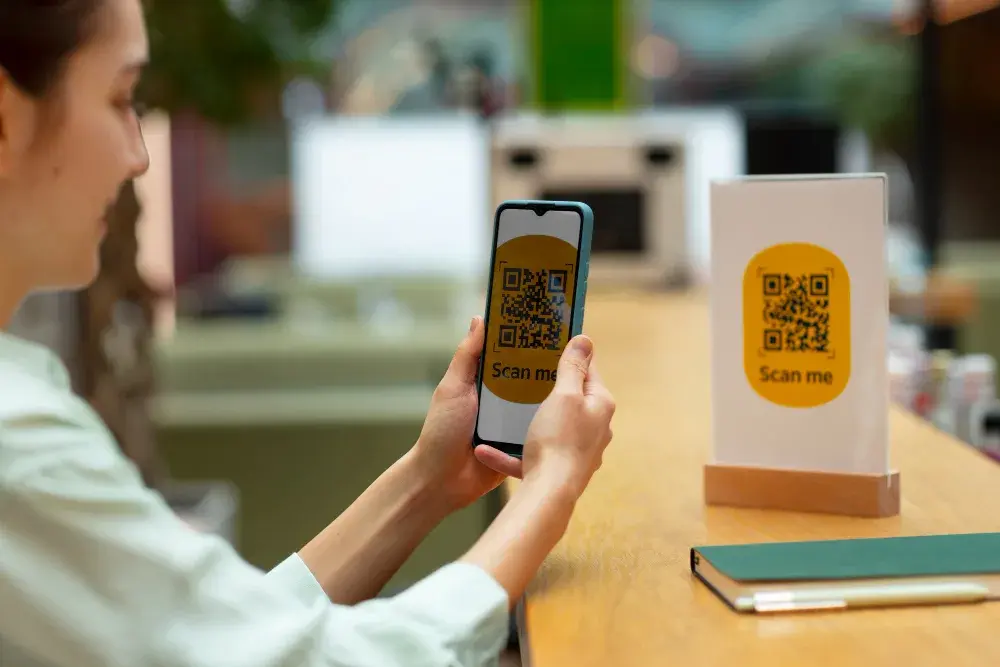
    A QR Code is a matrix barcode that contains information about the product it is attached to and represents. The purpose of a QR code is to identify products and services through scanning. Moreover, a QR Code is necessary to improve customer engagement, especially in today’s breakneck speed of the e-commerce market. 

    You require a to create QR codes that are needed for your e-commerce business on Shopify. There are many QR code generators on Shopify that can be useful. Here in this blog post, we will look at the best QR code generator on Shopify that you can utilize to improve your business flow.

    Best QR Code Generator for Shopify

    1. QR Code Generator Hub

    Key Features

    • QR Code Generator Hub provides QR codes that can be customized to add options like discounts, product details, purchase information, etc.
    • QR codes created with QR Code Generator Hub can be added to any blog post, website, app, etc., making it easy to engage your customers.
    • With a pro subscription, this QR code generator app creates in bulk.
    • You can also integrate Google analytics with your QR codes.

    Pros: QR Code Generator Hub is easy to use app with a wide range of customization options.

    Cons: No substantial issues are recorded with this QR code generator app.

    2. Super QR Codes

    Key Features

    • The free subscription for this app offers unlimited scans with a basic widget for a QR code. This allows you to use QR Code Generator Apps for Shopify. 
    • Super QR Codes also provides WhatsApp, SMS, and Wifi QR codes under a free subscription.
    • Through a pro subscription, your can avail of unlimited QR code downloads and scans.

    Pro: Super QR codes are convenient and offer reliable customer support.

    Cons: Good app apart from the minor glitches that arise here and there while using the app.

    3. QR Codes-Magical QRs

    Key Features

    • This app offers unlimited and customizable QR codes for your e-commerce businesses and services.
    • QR Codes-Magical QRs app provides data analytics to reports for the sales of your products.
    • This app is free and offers unlimited scans.

    Pros: QR Codes-Magical QRs is an effective QR code generator with great features for a free subscription.

    Cons: It is a very new app on the market, and it needs some time to be analyzed and reviewed.

    4. Shopcodes

    Key Features

    • Shopcodes offers customizable QR Codes that can be customized to be added to a shopping cart or the product page.
    • This QR Code generator app allows you to track and analyze all the traffic related to your products.
    • The dashboard on Shopcodes enables you to edit the QR codes easily if and when needed.

    Pros: This app has a simple design and good customer service.

    Cons: QR codes generated with Shopcodes do not direct the customer to the e-commerce business page but only to the products page.

    5. Wave-Voucher

    Key Features

    • Review all your QR codes and manage reports from a dedicated dashboard.
    • You can create branded QR codes with Wave Voucher to promote your-commerce business.

    Pros: This app is flexible and easy for QR code generation.

    Cons: Wave-Voucher does not offer a wide variety of features to support all e-commerce businesses.

    6. QR code Ninja

    Key Features

    • Allows Shopify businesses to post QR codes on social media channels and other selling platforms to increase online conversion.
    • Merchants can design their QR codes, provide discounts and even print them for later use.
    • QR code Ninja provides detailed analysis about the number of scans and much more to gain customer insight.
    • The app lets you create customized checkout links and QR codes for valuable customers for future shopping. 

    Pros: The Dynamic QR code feature leaves much room for changes even after the QR code has been printed.

    Cons: The app is relatively new and does not have many reviews to testify to its performance.

    7. DCode - Discount codes in Cart

    Key Features

    • DCode enables Shopify merchants to create and place a discount box at their store's checkout window.
    • With DCode, customers can use their discount coupons during checkout to reduce shipping and overall costs. 
    • DCode enhances customer satisfaction and retains more online shoppers for Shopify sellers. 
    • DCode offers many customizations. Shopify merchants can also ask DCode's support team to create a discount box design for them for free.

    Pros: DCode has an excellent tech support team that helps with the installation process but also aids in creating attractive designs.

    Cons: This QR code generator app can sometimes encounter glitches where discount codes are shown to be invalid. 

    8. Bulk Discount Code Generator

    Key Features

    • Bulk Discount Code Generator allows Shopify sellers to create unique QR codes related to discounts. 
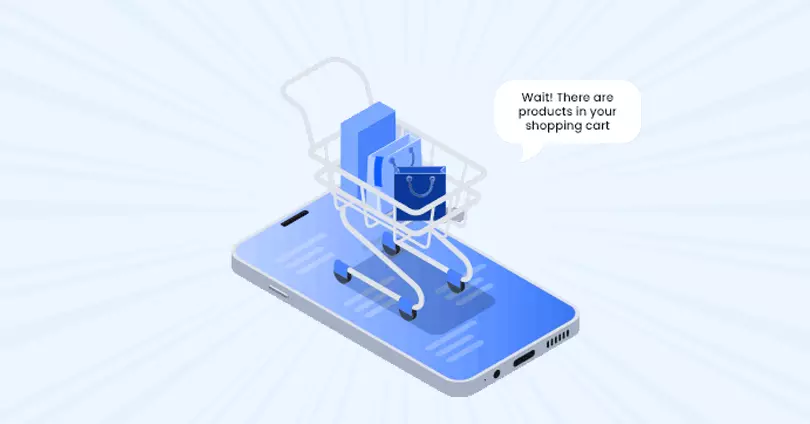
    • QR codes generated by Bulk Discount Code Generator can be used for loyalty programs, email marketing, and even to convert abandoned carts.
    • Shopify sellers can also create their unique discount codes.
    • Bulk Discount Code Generator automatically removes any code featuring confusing signs that may be hard to read for a QR code reader. 

    Pros: This app is free of cost and features a decent customer care unit to walk you through the setup process.

    Cons: Customers often hit a block when creating sets of code.

    9. Discount on Cart + Stack Codes

    Key Features

    • Discount on Cart can generate stackable QR codes for discounts and even create automatic QR codes that customers can use on various platforms.
    • It lets customers see how much they will save before checkout. 
    • With Discount on Cart, Shopify users can create multiple discount box designs to fit their existing store look without using a Shopify store design app. 
    • Discount on Cart offers easy integrations with Shopify POS and Shopify email marketing apps like Sezzle, AfterPay, Klarna, Affirm, etc. 

    Pros: This QR code generator's installation is super simple. The customer support is incredible, with only a 12-hour wait period. 

    Cons: Discount on Cart's configuration page can use some new features like the option of displaying the price of the discount on both the item page and at checkout.


    10. Discount Code, Discount PopUp by Premio

    Key Features

    • With Premio's Discount Code and Pop Up generator, Shopify sellers can reduce the rate of the cart and browse abandonment by offering premium discounts and promo codes.
    • Merchants can use the Discount Code app to display popups during fixed times of the day.
    • The app integrates with other email marketing apps like Klaviyo and MailChimp to bring in loyal customers.
    • QR codes can be displayed to customers based on their country, age, buying habits, etc.


    Pros: This QR code generator Shopify app has many useful features and provides excellent customer service.

    Cons: Some customers have complained about glitches after installing the Discount Code app.

    How to Select the Best QR Code Generator for Shopify?

    1. Compatibility

    For your ecommerce brand to be successful, you need to consider all the different factors that go into it. This includes ensuring that your QR code app is compatible with your other Shopify apps. The app should be highly responsive and capable of creating QR codes quickly.

    2. 91ÊÓÆµ

    Everyone is talking about QR codes and how they can be used to drive ecommerce sales, but few are discussing the importance of pricing. Just because a QR code app is free to download doesn't mean it's the right choice for your business. 

    3. Feature of Tracking

    A QR code generator that creates QR codes capable of tracking is essential for managing products and analyzing consumer traffic and data. 

    4. Versatility

    QR code generators are becoming increasingly popular as businesses and consumers alike realize their potential for simplifying online transactions. The apps can be used in various settings, from retail storefronts to ecommerce websites. Look for an app that offers a wide range of functionality, including creating custom codes, tracking scan activity, etc.

    5. Availability of Customer Support

    As a business, you're always looking for ways to make your life easier. That's why QR code generator apps are so popular; they make it easy to create and scan quick response codes. But what happens when something goes wrong with your app? Your business could suffer if you're not getting the customer support you need. That's why you should always prioritize customer service.

    6. Usability

    It's no secret that QR code generator apps are becoming increasingly popular to direct customers to specific pages or products on a company website. However, what is sometimes overlooked is the importance of making sure that these apps are easy to use. Make sure your QR code generator app is user-friendly and easy to navigate. Otherwise, you could be missing out on potential sales and customers.

    7. Option of Social Media Login

    One of the main benefits of using a QR code generator app with social media login functionality is that it saves time. Instead of manually typing in all your personal information, you can use your social media login credentials. This makes the process much faster and easier.

    8. Applicable across Platforms

    Although this is a Shopify QR code generator app, your customers might also want to use the codes it generates for other platforms. Therefore, when selecting the best QR code generator app, enquire if it can be used in multiple channels. 

    Overall Recommendation

    So there you have it, our top five picks for the best QR code generator app for Shopify. These apps will help you create and manage your codes easily and, most importantly, help you increase sales and engagement with your customers. Utilize this blog post to understand the QR code generators better and choose the right one for your business.

    FAQS

    1. How do I generate QR codes on Shopify?

    A QR Code generator can create QR codes on Shopify. You can employ any of the five best QR code generators mentioned in this article to generate QR codes for your e-commerce business on Shopify.

    2. Does a QR code expire?

    QR codes do not expire, but the code becomes unscannable if the code design is altered or disrupted.

    The Logistics Automation Platform for E-commerce
    Momentum Leader - G2 Users Most Likely To Recommend - G2 Best Results Mid-Market - G2
    . window.disableHubSpotCookieBanner = true; function killNative() { var n = document.getElementById("hs-eu-cookie-confirmation"); if (n && n.parentNode) { n.parentNode.removeChild(n); return true; } return false; } killNative(); if (window.MutationObserver) { var mo = new MutationObserver(function () { killNative(); }); mo.observe(document.documentElement, { childList: true, subtree: true }); setTimeout(function () { mo.disconnect(); }, 15000); } var COOKIE = "cp_cookie_consent"; var EU = ["at","be","bg","hr","cy","cz","dk","ee","fi","fr","de","gr","hu","ie","it","lv","lt","lu","mt","nl","pl","pt","ro","sk","si","es","se","gb","uk","is","li","no","ch"]; function readCookie(nm) { var m = document.cookie.match(new RegExp("(?:^|; )" + nm + "=([^;]*)")); return m ? decodeURIComponent(m[1]) : null; } function writeCookie(nm, val, days) { var d = new Date(); d.setTime(d.getTime() + (days * 864e5)); document.cookie = nm + "=" + encodeURIComponent(val) + ";expires=" + d.toUTCString() + ";path=/;SameSite=Lax" + (location.protocol === "https:" ? ";Secure" : ""); } function stored() { var raw = readCookie(COOKIE); if (!raw) return null; try { var o = JSON.parse(raw); if (typeof o.analytics === "boolean") return o; } catch (e) {} return null; } function apply(state, revoke) { window._hsp = window._hsp || []; window._hsp.push(["setHubSpotConsent", { analytics: !!state.analytics, advertisement: !!state.advertisement, functionality: !!state.functionality }]); if (revoke && !state.analytics && !state.advertisement && !state.functionality) { window._hsp.push(["revokeCookieConsent"]); } window.dataLayer = window.dataLayer || []; window.dataLayer.push({ event: "cp_cookie_consent", cp_consent_analytics: !!state.analytics, cp_consent_advertisement: !!state.advertisement, cp_consent_functionality: !!state.functionality }); document.documentElement.setAttribute("data-cp-consent", "set"); } function inScope(banner) { if (banner.getAttribute("data-scope") !== "eu_only") return true; var geo = (document.body.getAttribute("data-geo_location") || "").toLowerCase(); if (!geo) return true; return EU.indexOf(geo) !== -1; } function init(banner) { var days = parseInt(banner.getAttribute("data-days"), 10) || 180; var prefs = banner.querySelector("[data-cpcb-prefs]"); var compact = banner.querySelector('[data-cpcb-actions="compact"]'); var expanded = banner.querySelector('[data-cpcb-actions="expanded"]'); var toggles = banner.querySelectorAll("[data-cpcb-toggle]"); function show() { banner.hidden = false; requestAnimationFrame(function () { banner.classList.add("is-visible"); }); } function hide() { banner.classList.remove("is-visible"); setTimeout(function () { banner.hidden = true; }, 300); } function collapse() { if (!prefs) return; prefs.hidden = true; if (expanded) expanded.hidden = true; if (compact) compact.hidden = false; } function expand() { if (!prefs) return; prefs.hidden = false; if (compact) compact.hidden = true; if (expanded) expanded.hidden = false; } function paint(state) { Array.prototype.forEach.call(toggles, function (t) { var key = t.getAttribute("data-cpcb-toggle"); if (key === "necessary") { t.setAttribute("aria-checked", "true"); return; } t.setAttribute("aria-checked", state[key] ? "true" : "false"); }); } function fromToggles() { var state = { analytics: false, advertisement: false, functionality: false }; Array.prototype.forEach.call(toggles, function (t) { var key = t.getAttribute("data-cpcb-toggle"); if (key in state) state[key] = t.getAttribute("aria-checked") === "true"; }); return state; } function commit(state, revoke) { writeCookie(COOKIE, JSON.stringify({ analytics: !!state.analytics, advertisement: !!state.advertisement, functionality: !!state.functionality, v: 1, ts: Date.now() }), days); apply(state, revoke); hide(); } Array.prototype.forEach.call(toggles, function (t) { if (t.disabled) return; t.addEventListener("click", function () { t.setAttribute("aria-checked", t.getAttribute("aria-checked") === "true" ? "false" : "true"); }); }); banner.addEventListener("click", function (e) { if (!e.target || !e.target.closest) return; var btn = e.target.closest("[data-cpcb-action]"); if (!btn) return; var action = btn.getAttribute("data-cpcb-action"); if (action === "customise") { expand(); return; } if (action === "accept") { commit({ analytics: true, advertisement: true, functionality: true }, false); return; } if (action === "reject") { commit({ analytics: false, advertisement: false, functionality: false }, true); return; } if (action === "save") { commit(fromToggles(), true); return; } }); var existing = stored(); if (existing) { apply(existing, false); paint(existing); collapse(); } else if (!inScope(banner)) { // Out of the consent-required region: implied consent, banner never shown. commitSilently(); } else { collapse(); show(); } function commitSilently() { var all = { analytics: true, advertisement: true, functionality: true }; writeCookie(COOKIE, JSON.stringify({ analytics: true, advertisement: true, functionality: true, v: 1, ts: Date.now(), implied: true }), days); apply(all, false); } // Public re-open hook for a footer "Cookie settings" link. window.cpCookieBanner = window.cpCookieBanner || {}; window.cpCookieBanner.open = function () { var s = stored() || { analytics: false, advertisement: false, functionality: false }; paint(s); expand(); show(); }; } function boot() { var banners = document.querySelectorAll("[data-cpcb]"); if (!banners.length) return; init(banners[0]); document.addEventListener("click", function (e) { if (!e.target || !e.target.closest) return; var trigger = e.target.closest("[data-cp-cookie-settings]"); if (!trigger) return; e.preventDefault(); if (window.cpCookieBanner && window.cpCookieBanner.open) window.cpCookieBanner.open(); }); } if (document.readyState === "loading") { document.addEventListener("DOMContentLoaded", boot); } else { boot(); } })();